Privacy & Security
Your clipboard data stays on your machine, always.
Your Data Stays Local
Every clip is stored in a SQLite database on your device. There is no account and no telemetry, and your clipboard content never leaves the machine.
| Platform | Database Location |
|---|---|
| Windows | %APPDATA%\clipussy\db\gyatt.db |
| macOS | ~/Library/Application Support/clipussy/db/gyatt.db |
| Linux | ~/.config/clipussy/db/gyatt.db |
You own the file. You can open it, move it, back it up, or delete it at any time.
The one network request
Clipcat asks GitHub for the newest release version each time it starts, so it can tell you when an update is ready. No clipboard data and nothing about you is sent. If you allow notifications, Clipcat uses them for that update message and nothing else.
Auto-hide Sensitive Clips
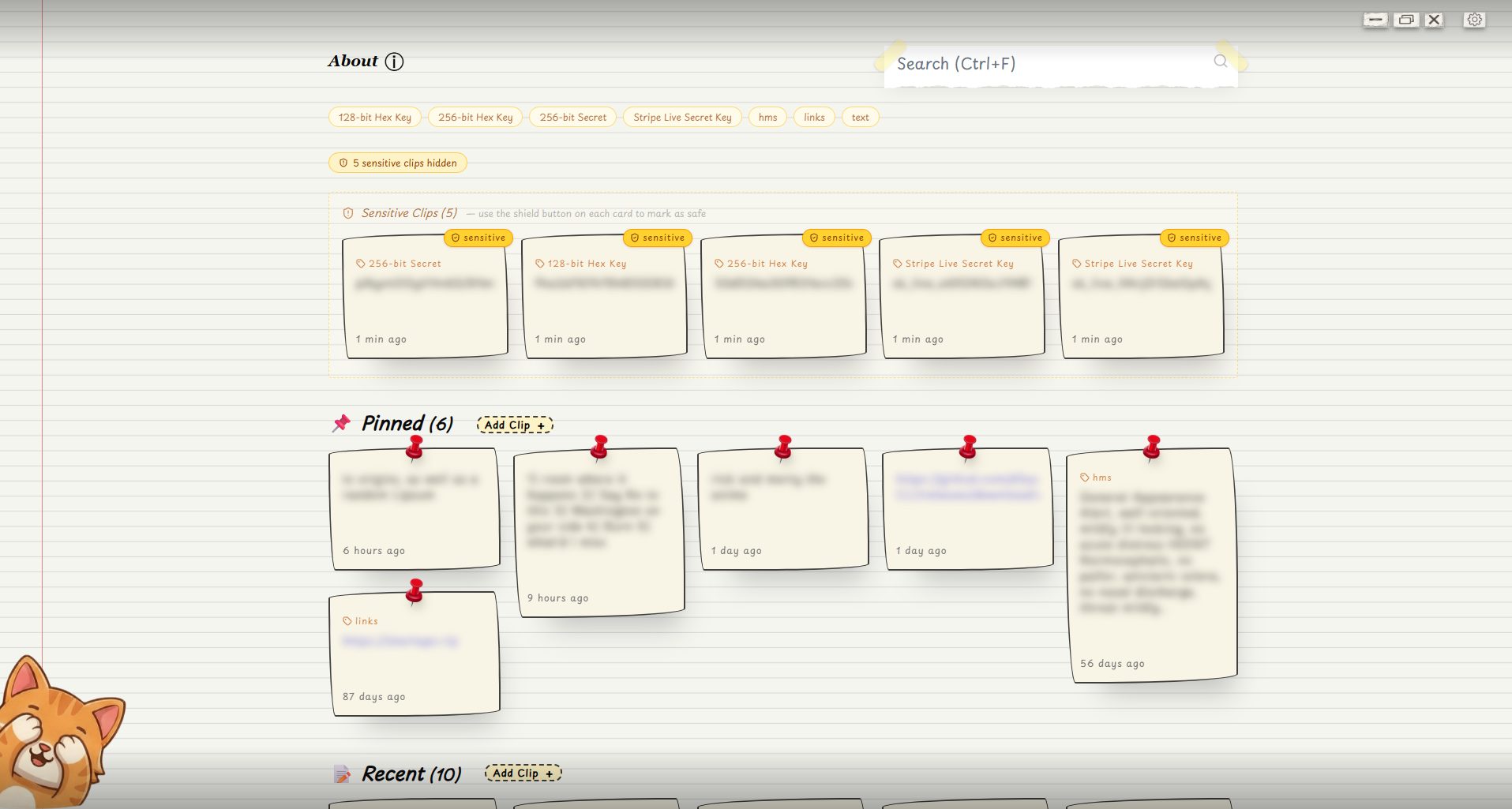
Clipcat reads every clip you copy and hides the ones that look like secrets:
- Passwords - common password shapes
- API keys - keys that start with known prefixes such as
sk-,ghp_, orAIza - Tokens - OAuth and bearer tokens
- JWTs - JSON Web Tokens (three base64 parts separated by
.) - Private keys - PEM keys that start with
-----BEGIN ... KEY----- - Random-looking strings - short strings with high entropy, which usually means a secret
This is on by default. Hidden clips are not deleted, they are just kept out of view.
Showing hidden clips
When at least one clip is hidden, a Sensitive button appears in the toolbar at the top of the window with a count next to it. Click it to show the hidden clips. They appear in their normal place inside the Pinned and Recent sections. Click it again to hide them.
Marking a clip as safe
Every clip card has a small shield button in its top-right corner.
- On a hidden clip, click the shield to mark it as safe. It goes back to your normal list for good.
- On any other clip, click the shield to hide that clip yourself. Use this for secrets Clipcat did not catch.
Turning auto-hide off
Go to Settings -> Clipboard -> Auto-hide Sensitive and switch it off. Every clip then shows in the main list, whatever it contains.
Privacy Mode
Press Alt+H to blur all clip content in the UI instantly. This is useful when:
- Screen sharing in a video call
- Working in a public space
- Giving a presentation
Clipcat remembers this setting. If you leave the blur on and close the app, clips are still blurred the next time you open it, so switch it off when you are done.
Blocked Apps
Add any application's process name in Settings -> Privacy -> Blocked Apps and Clipcat will silently ignore any clipboard changes that originate from that app. This is the recommended approach for:
- Password managers (1Password, Bitwarden, KeePass, etc.)
- Banking or financial apps
- Any app that copies credentials
How it works: When your clipboard changes, Clipcat checks which app had focus at that moment. If its process name is in your blocklist, the clip is discarded before it's ever saved to the database.
Pause Capture
Use Settings -> Clipboard -> Pause Capture to stop recording clipboard changes entirely. Right-click the tray icon to see a Pause Capture checkbox that shows the current state, and turn it back on from there or from Settings.
LAN Sync Encryption
Clipcat's LAN sync feature uses AES-256-GCM to encrypt clipboard data before it leaves your machine. The key comes from the passphrase you type, run through PBKDF2-SHA256 with 100,000 iterations.
A clip larger than 25 MB is skipped and never sent. A peer that fails to answer three times in a row drops off the peer list. Data travels straight between your machines over TCP port 47821, and they find each other on the local network with mDNS, using the _clipcat._tcp service.
Clipcat does not operate a sync server - discovery and data transfer happen entirely over your local network via mDNS and direct TCP connections. No clipboard data ever reaches the internet.
Open Source
Clipcat is fully open source. Every line of code is available at github.com/d3uceY/Clipcat. You can audit the clipboard capture logic, the database layer, and the secret scanning rules yourself.
Key files to review:
backend/lib/clipboard/- clipboard listener per platformbackend/lib/secretscan/- sensitive content detection rulesbackend/store/- database reads and writes